Improved Search in Imagine Math Pathway Library 

Imagine IM

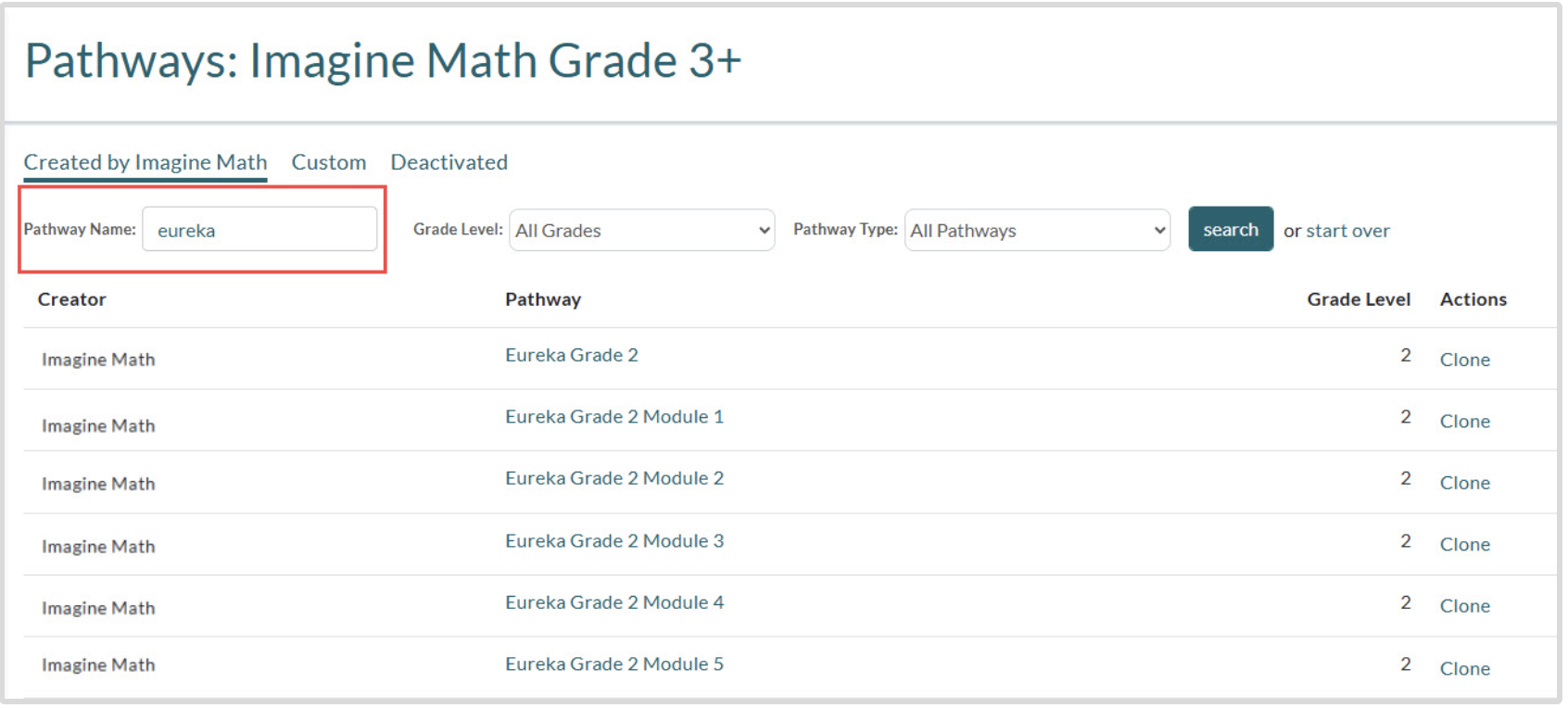
Find learning pathways faster using new “Pathway Name” filter

We’ve expanded the search filters in Imagine Math’s pathway library to include “Pathway Name,” making it easier to find pathways aligned to your core curriculum. Just enter the name of your core program to quickly locate pathways that match its scope and sequence, saving time and improving alignment with instruction. 

Learn More
Imagine Math Pathway name filter

New Core-Aligned Pathways in Imagine Math

Imagine IM

More custom pathways now align with Imagine IM 

Imagine Math now includes even more custom learning pathways that align with the grade- and unit-level scope and sequence of Imagine IM. These pathways offer targeted, standards-based practice to support core instruction. Check back often as new pathways will be added regularly to help you meet your students’ evolving needs. 

Learn More

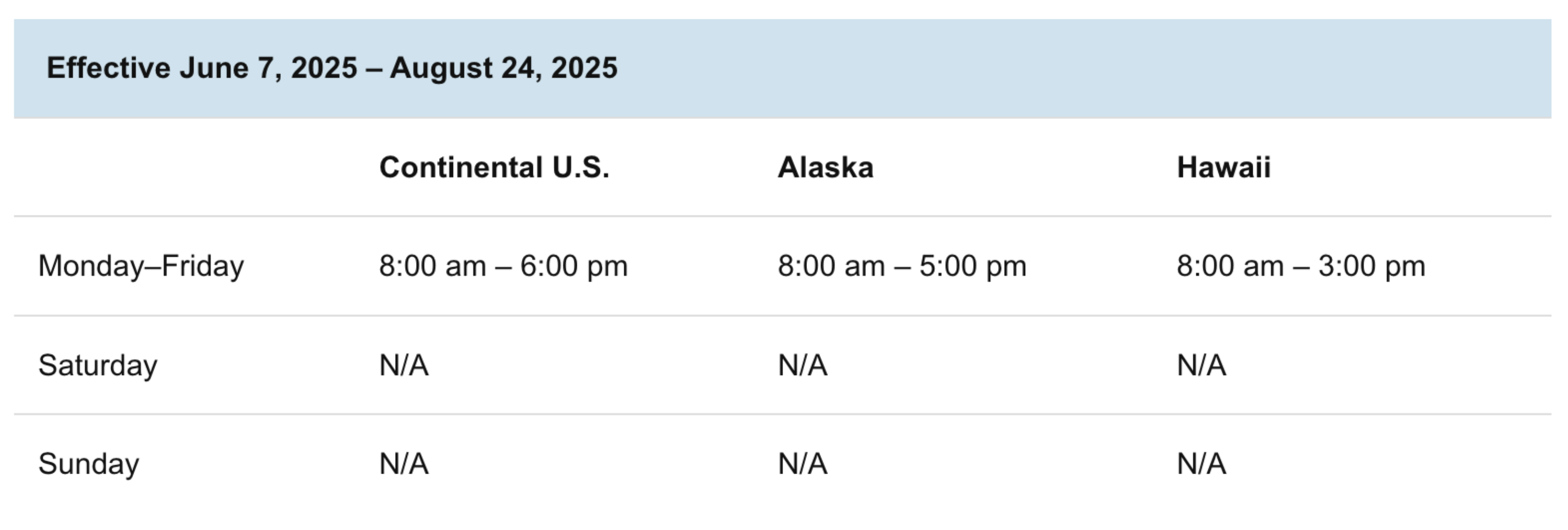
New Imagine Math Live Teaching Summer Hours

Imagine Math

Access live support all summer long 

Imagine Math Teacher Scheduling
Learn More

New Benchmark Performance Level State Alignments in Imagine Math 

Imagine EdgeEX

Benchmark performance levels now aligned to New Mexico, North Dakota, and Vermont standards 

Did you know? Following each Imagine Math benchmark test, students are classified into Performance Levels. Combined with the Quantile® Measure, these levels can be used to group students into similar skill levels and determine appropriate instruction.  

The following states have aligned their state-wide assessments with the Quantile® Framework.   

  • Alabama  
  • California  
  • Connecticut  
  • Delaware  
  • Hawaii  
  • Idaho  
  • Illinois  
  • Indiana  
  • Kansas  
  • Minnesota  
  • Missouri  
  • Montana  
  • Nevada  
  • New Hampshire   
  • New Mexico (new) 
  • North Carolina  
  • North Dakota (new)
  • South Carolina
  • South Dakota
  • Texas    
  • U.S. Virgin Islands
  • Vermont (new)  
  • Washington    
  • West Virginia  
  • Wyoming

Accessing state-aligned results and reports

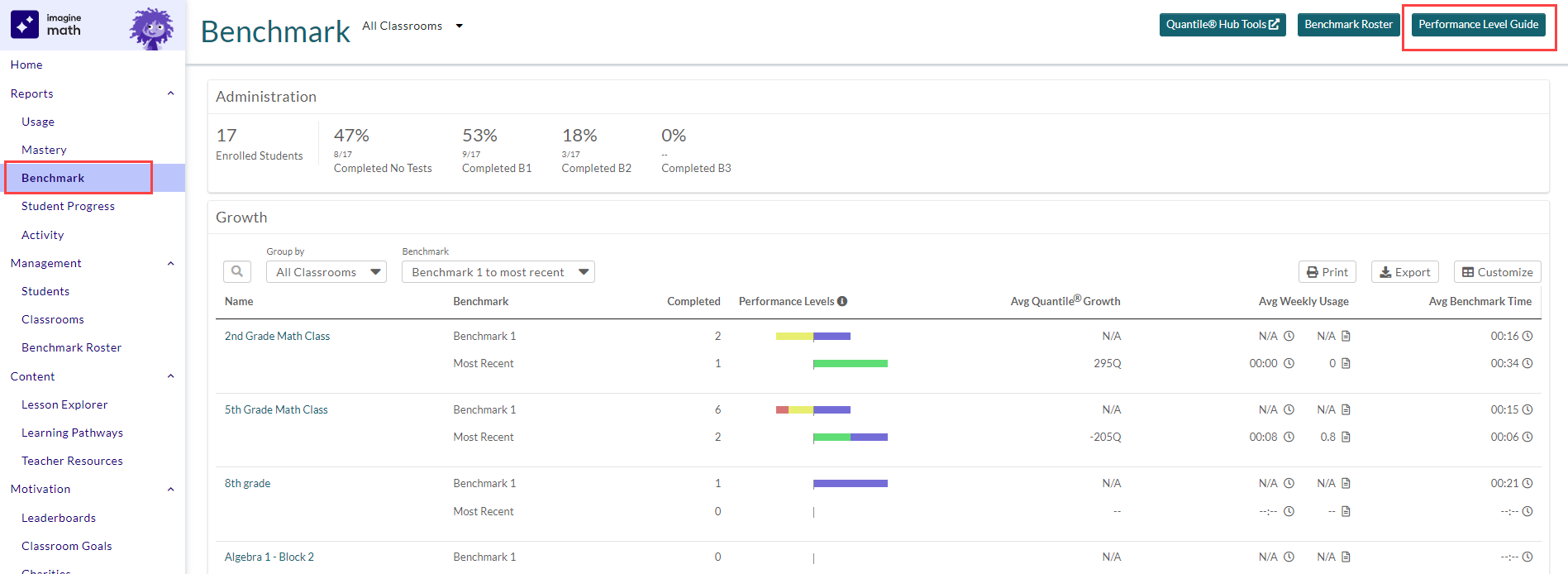
Through Imagine Math’s partnership with MetaMetrics®, educators in these states will see Benchmark Performance Levels reflect those used in their state end-of-course assessments. Educators in the states listed above should refer to the Imagine Math “Performance Level Guide”, accessible in the Teacher Dashboard > Reports > Benchmark. Note that definitions of Performance Levels — and the Quantile® Measure ranges that comprise them — vary by state. 

Benchmark reports

New Imagine Math and Imagine Math Facts Reset Procedures for Back-to-School 2024

Imagine EdgeEX
Imagine EdgeEX

Improved Reset Procedures for Back-to-School 2024

The Imagine Math and Imagine Math Facts teams have improved the reset process for Back-to-School 2024: 

  • Educators can now view the date their products will reset for the new school year   
  • District administrators can change the assigned date to a preferred date 

For more details, visit this Help Center article.   

Printable Vocabulary Word Lists for Imagine Math

Imagine EdgeEX

Practice key math vocabulary terms with new printable word lists

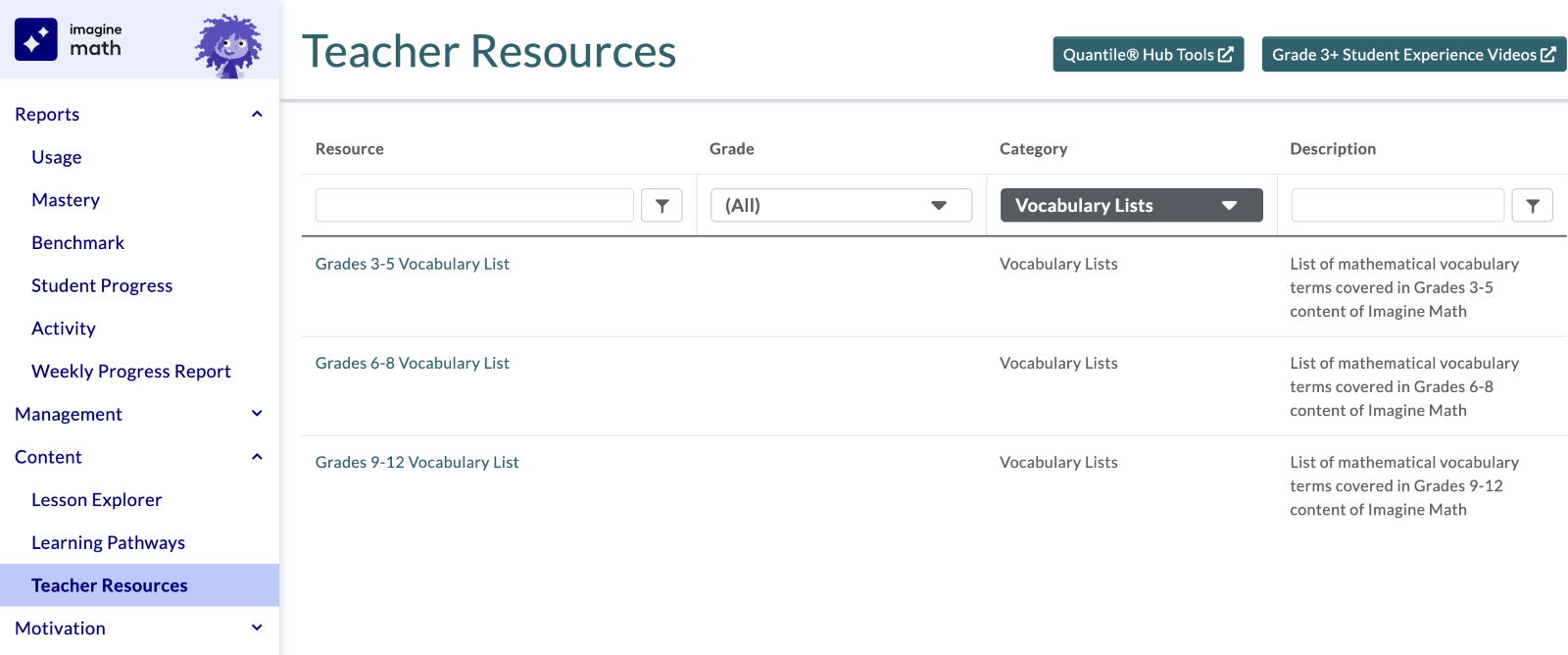
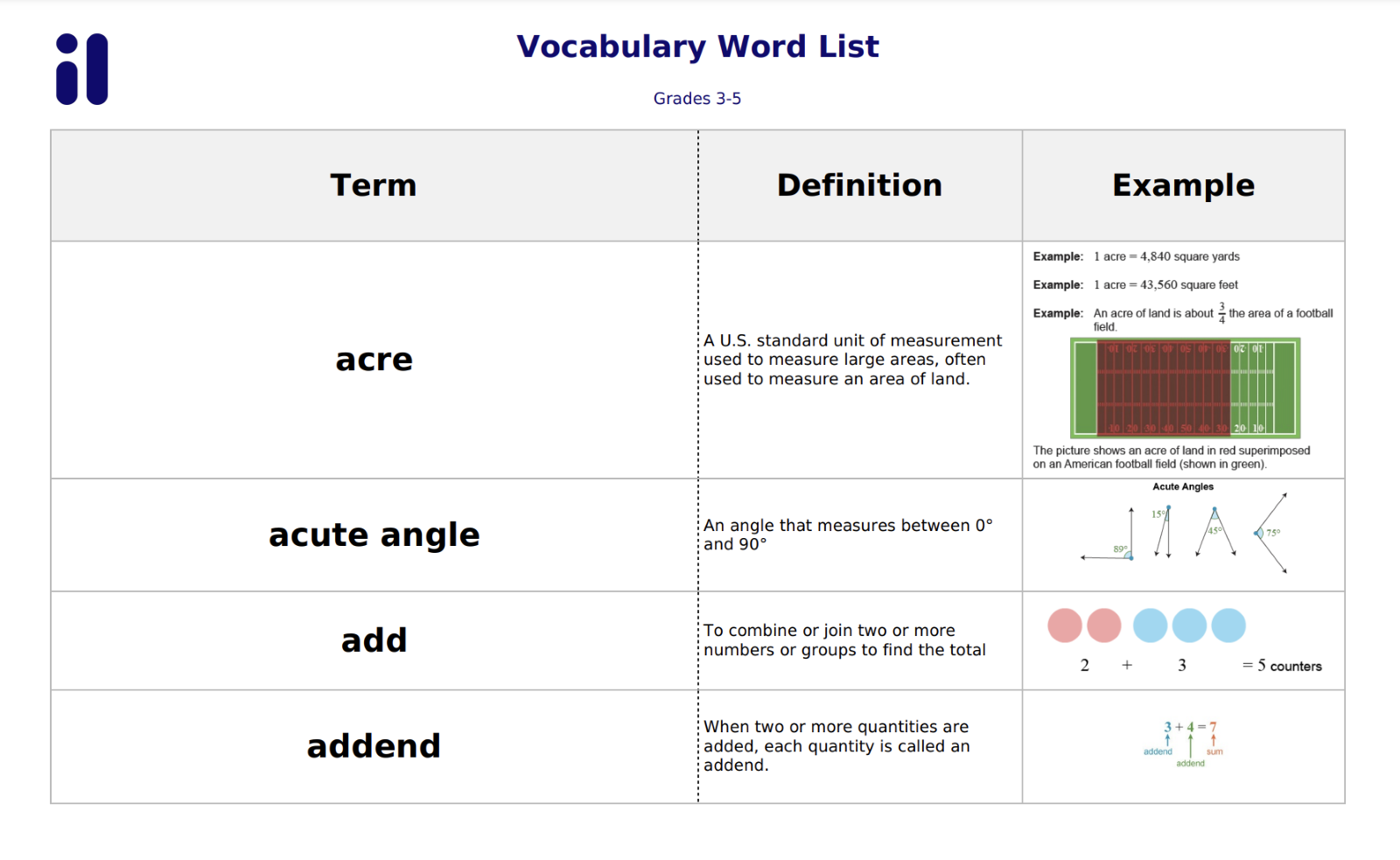
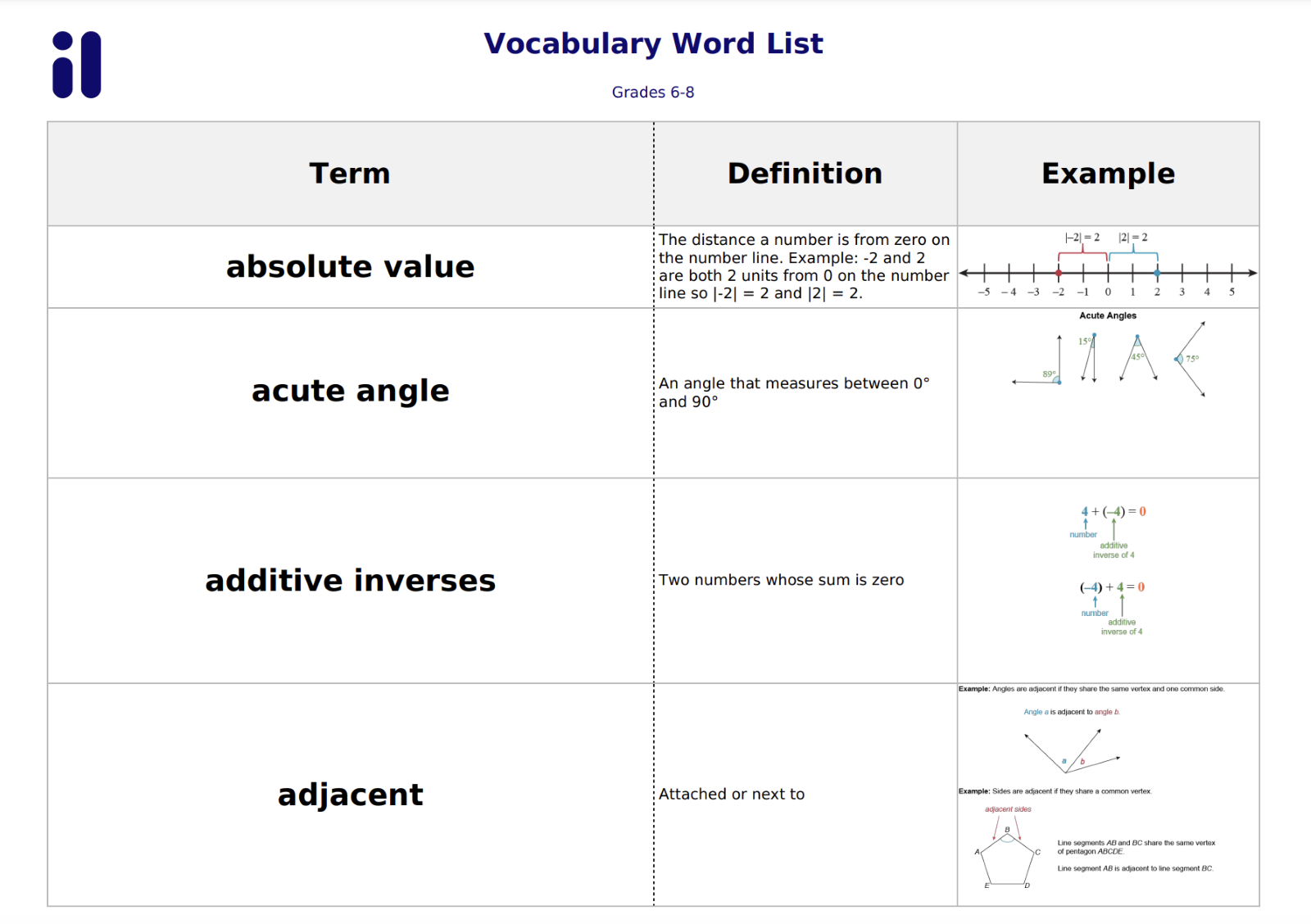
Based on educator feedback, Imagine Math has added printable vocabulary word lists. With these printable lists for grades 3+, students will be able to practice key math vocabulary terms using the word, its definition, and an explanatory image. Educators can find the printable word lists for grades 3–5, 6–8, and 9–12 in Teacher Resources under “Vocabulary Lists.”

it's a placeholder, y'all

Imagine Math Student Password Security Update

Imagine EdgeEX

Passwords are no longer displayed in the Imagine Math educator portal

For security reasons, passwords are no longer displayed in the Imagine Math educator portal. Educators can still change a student’s password to a new password, but they can’t view the student’s current password. Note that we’ve kept the word “password” on student start cards with a blank space underneath for educators to write it in. 

Due to this important security enhancement, 22 Help Center articles, including Printing student start cards and Finding your student’s Math Suite username and password, were updated to replace screenshots showing passwords on the start cards and in various pages of the Imagine Math program. 

Live Teacher Updates for Imagine Math 3+

New Printable Resources 

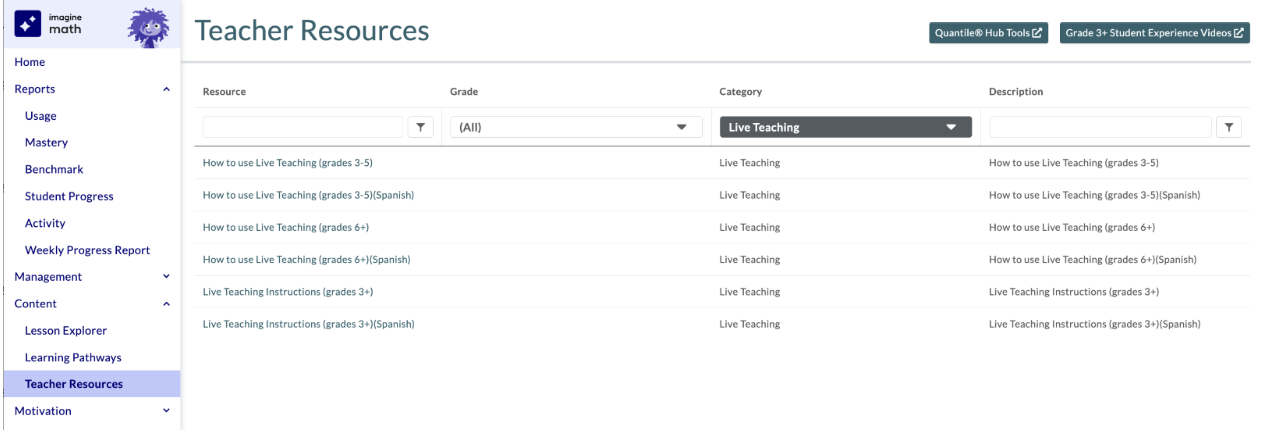
We’ve added a suite of English and Spanish printable resources in Imagine Math Teacher Resources under the “Live Teaching” category filter to support student success in working with Imagine Math Live Teachers. Learn more about Imagine Math Live Teachers in the Imagine Math Help Center, including student-facing how-to videos and more!  

New Operating Hours for 2024-25 

Live Teaching will have updated operating hours for the 2024-25 school year.*

Imagine Math Live Teaching Hours 2024-25  (All times local) 

Monday–Friday: 8:00am–10:00pm
Saturday: 9:00am–4:00pm
Sunday: 6:00pm–10:00pm 

*Live Teaching hours for the current 2023-24 school year can be found in the Imagine Math Help Center

Live Teacher Updates for Imagine Math 3+

Imagine EdgeEX

New Printable Resources 

We’ve added a suite of English and Spanish printable resources in Imagine Math Teacher Resources under the “Live Teaching” category filter to support student success in working with Imagine Math Live Teachers. Learn more about Imagine Math Live Teachers in the Imagine Math Help Center, including student-facing how-to videos and more!  

New Operating Hours for 2024-25 

Live Teaching will have updated operating hours for the 2024-25 school year.*

Imagine Math Live Teaching Hours 2024-25  (All times local) 

Monday–Friday: 8:00am–10:00pm
Saturday: 9:00am–4:00pm
Sunday: 6:00pm–10:00pm 

*Live Teaching hours for the current 2023-24 school year can be found in the Imagine Math Help Center

Student Password Updates in Imagine Math and Imagine Math Facts

Imagine EdgeEX

Important Update About Student Passwords

As of March 5, student passwords no longer appear anywhere in the Imagine Math or Imagine Math Facts solutions to align with best-practice security measures around protecting student data. Educators continue to be able to update student passwords from the student’s account page.

Learn more about this important security update in the Imagine Math Help Center. 
Updated “Printables” Table of Contents in Imagine Math

Imagine EdgeEX

Updated “Printables” table of contents

The table of contents documents make offline practice even easier to access with links to every “Printable” resource.

it's a placeholder, y'all